
People ask how I get done what I get done. Simple, I have a plan. I have a workflow, and I’ve been doing this for decades. Most of what I do now is second nature. I’m not saying it’s great, or the way you should do things, but it’s what works for me. You might be tired of hearing this, which is why I love saying it again. Everything ends in print. To do any work of a serious nature and not see that work to print makes zero sense to me. I don’t get it. It feels shallow, lazy, disconnected, and not as serious as it was intended to be.
Most people who show me work with no intention of print aren’t that good.
They are onliners looking for a quick fix. Some have huge online followings, but sixty seconds into any of their films, and you see there isn’t much there. No history, no context, little to no knowledge of anything done before, no formal training, and an almost total fixation on the equipment at the front end of the conversation, while the back end, otherwise known as the important part, gets little note. The few images they do show get a “No, no, no,” from me as I endure the longest sixty seconds of my life. If this is you, know, it doesn’t have to be this way. This could be the first day of the rest of your print life.
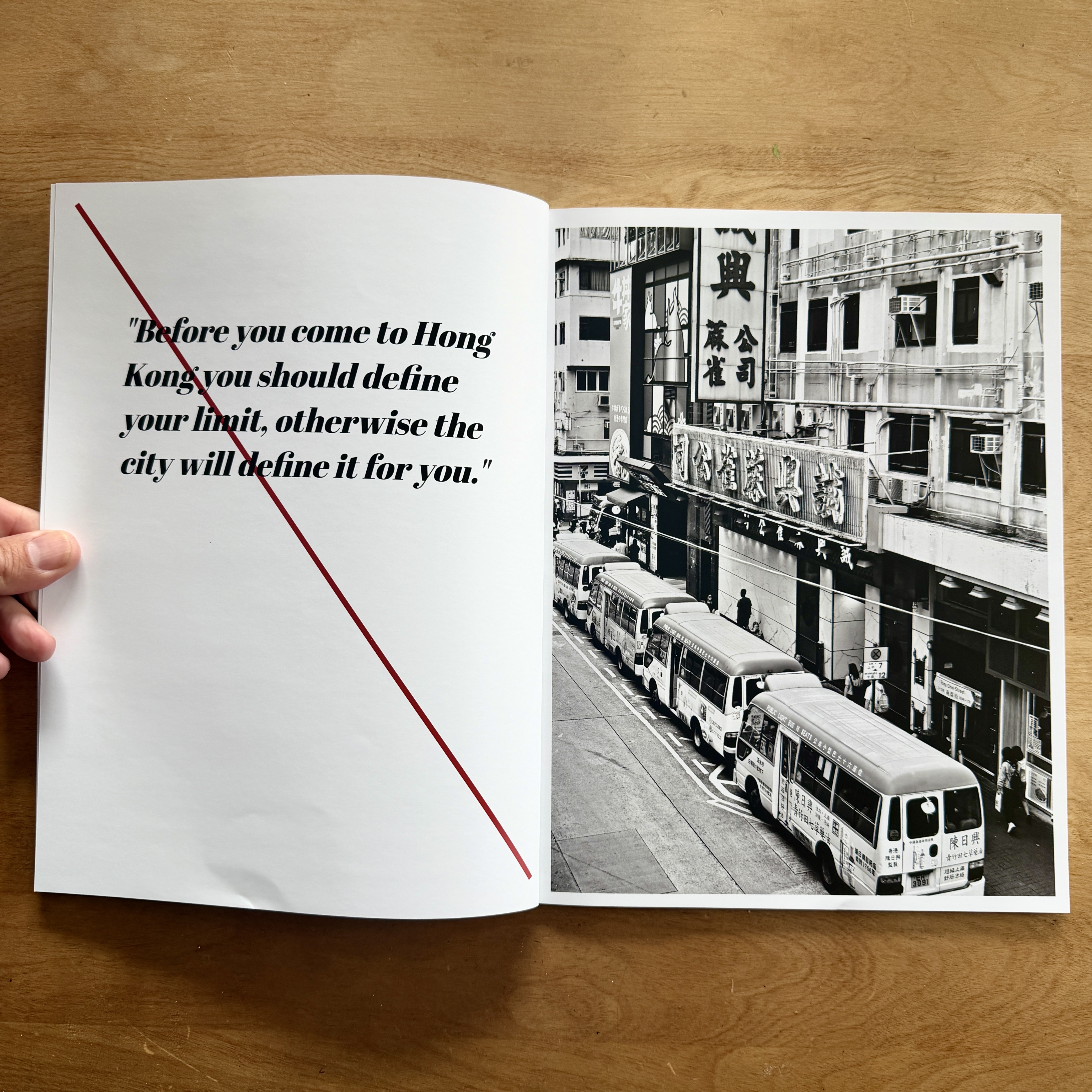
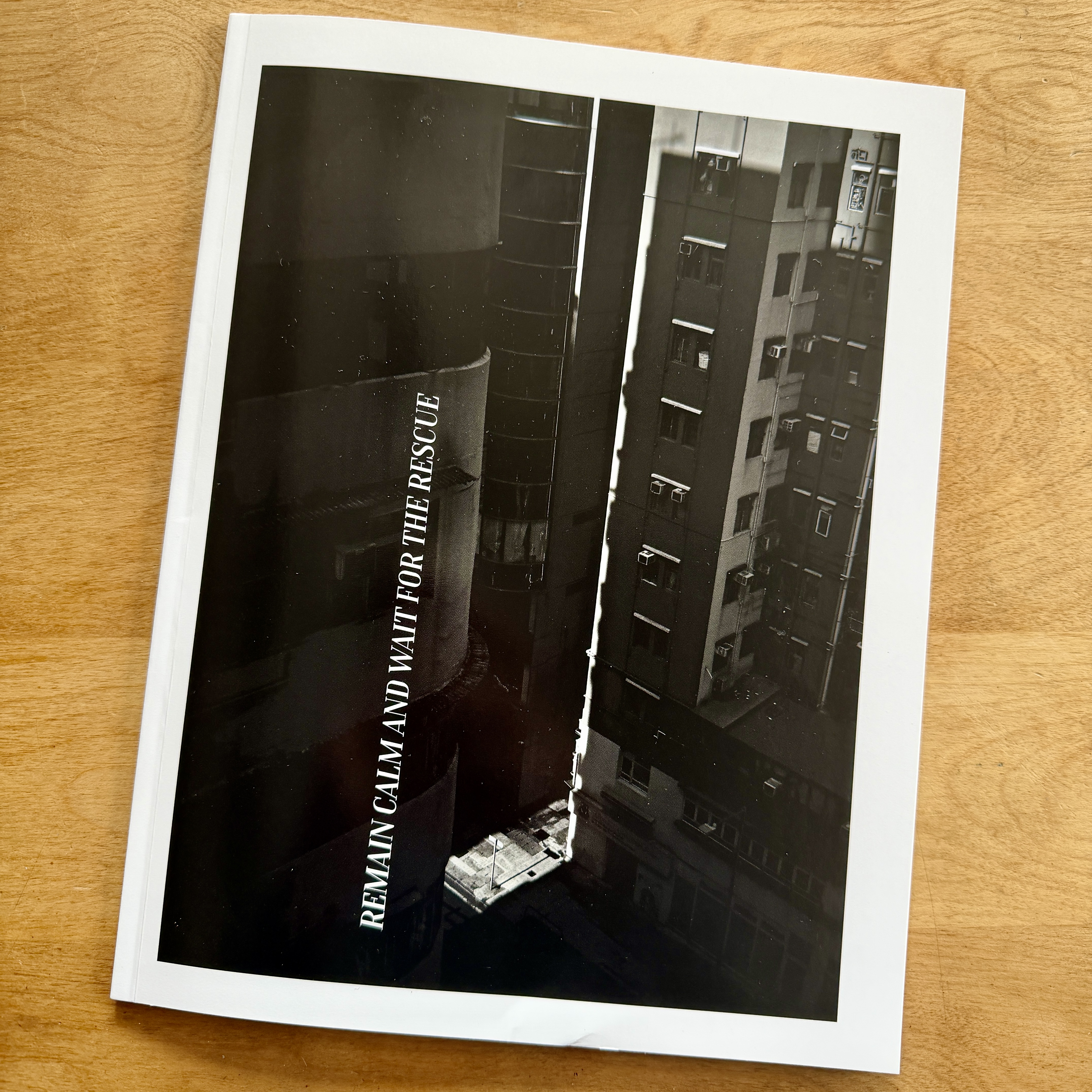
And remember, you don’t have to do what I do. You can find your own print path. The point is, whatever it is, find it. What you are looking at here is a print version of my “30-Minute” books. Anytime I get a day in the field, in this case, a day in Hong Kong, I have a plan. I always have a plan. Although I am teaching and reacting to a variety of things, I always have a hook to focus on. On this particular day, the title was the hook. “Remain Calm and Wait for the Rescue,” which I found on my first night while riding the elevator in the hotel. That was my hook. Make pictures to support the title.
When the shooting day ends, no matter where I am or what I’m doing, I send images from the camera to my phone. A tight edit because there is no other kind. I can do this in minutes. I have a decent idea of what I have before I see the images. I send full rez files, typically while eating, drinking, talking, etc. For those of you who were with me during this time, you might remember me placing my camera on the dinner table at some point. Boom.

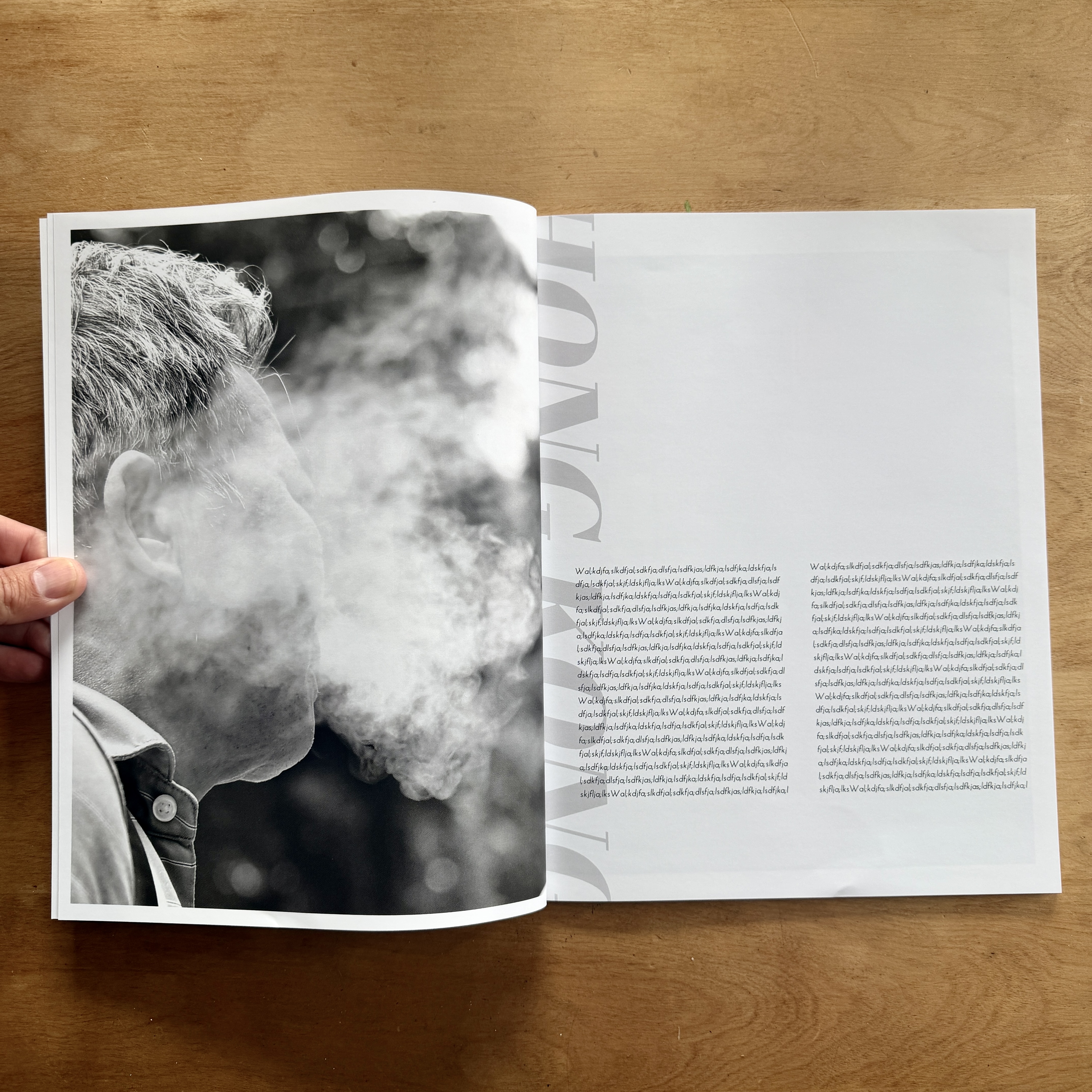
The following morning, using the work from the day before, I set a timer for thirty minutes, and I begin to design a book. No revision, no second thoughts, and certainly no ridiculous notion of perfection of any kind. (This kills SO many people.) Just flow with what feels right. If I’ve had a crack at my journal, then I’ll use that as my text, or use Lorem ipsum as a placeholder. What I’m going for is an overall feel of what the work might ultimately look like in print. Also note, an edit, sequence, and design will change dramatically if my format changes, meaning magazine, Zine, book, etc. (This is a Blurb Magazine.)
When I see these pages, I see mostly what’s wrong, and there is a lot to see. The cover is horrible. That was the very first image I made while in Hong Kong, shot from my hotel room, so it’s sentimental to me, but not worthy of a cover. The text is wrong, too, but whatever. The type isn’t right either, but I can see what images I would offset with copy, and I can see what images might make a final publication. In other words, this publication is doing its job, allowing me to learn, to get better.
Here is the wrinkle. I typically don’t print these books. I do make other books from my trips, as you know, but the 30-Minute books are typically just an exercise. But I decided to print this because I have plans for it. Plans that might surprise you, and plans I’m not going to share now. I want to finish my idea and see if it’s worthy of sharing. I’ve not done what I have in mind, which alone is enough to get me excited, knowing I might fail miserably.
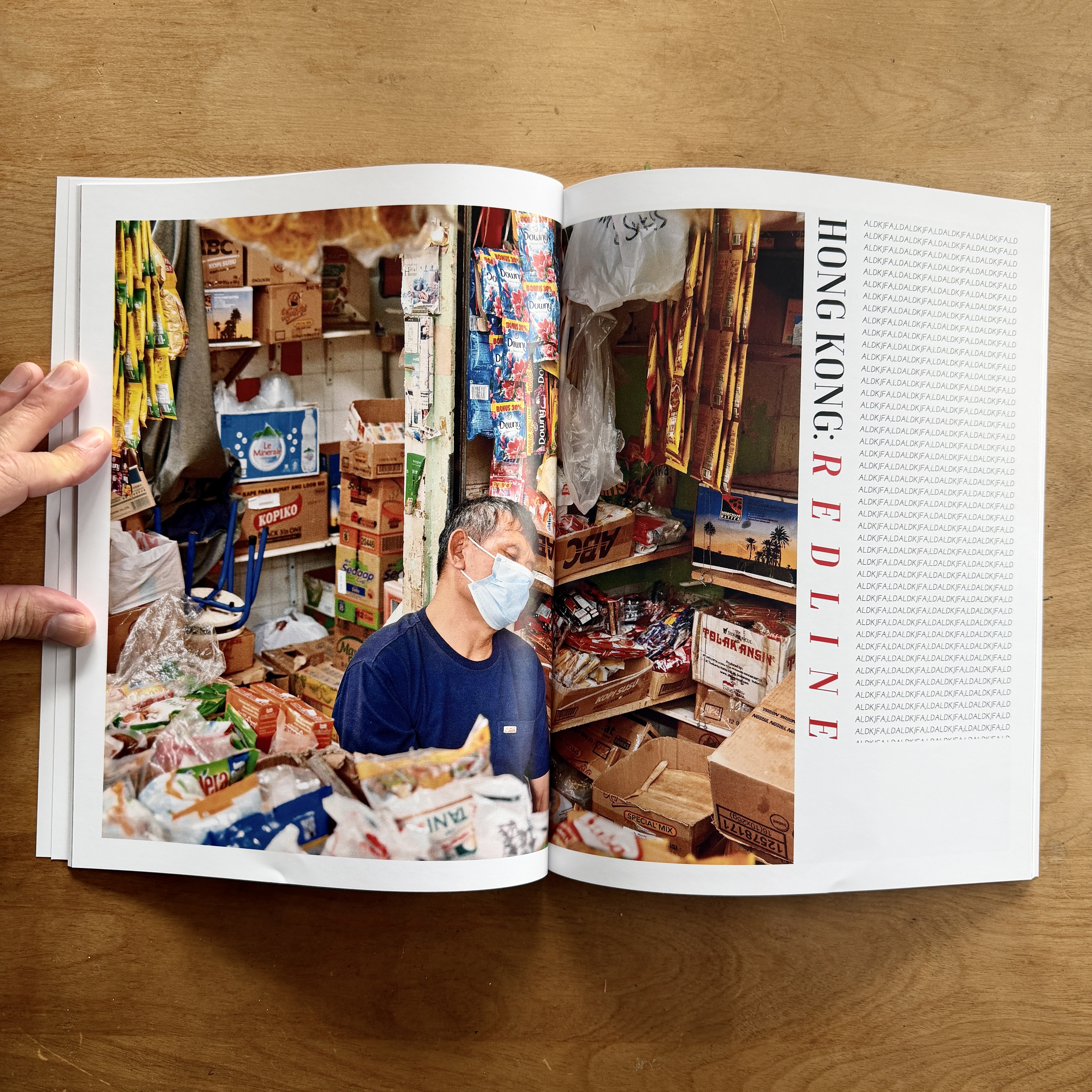
The spread you see above, “Hong Kong: Redline,” is the second 30-Minute book. I switched from Nikon to Fuji, and also switched my aspect ratio to 5:4, something I LOVE with X100VI. There is no reason for this other than I like doing it. Each camera allows me to make a certain kind of image. I like to mix it up. I also knew this ratio would impact my page design. My original idea was to slightly bleed each image across the gutter. Just enough for the viewer to know it spread to both pages. Then I abandoned my plan for no reason.
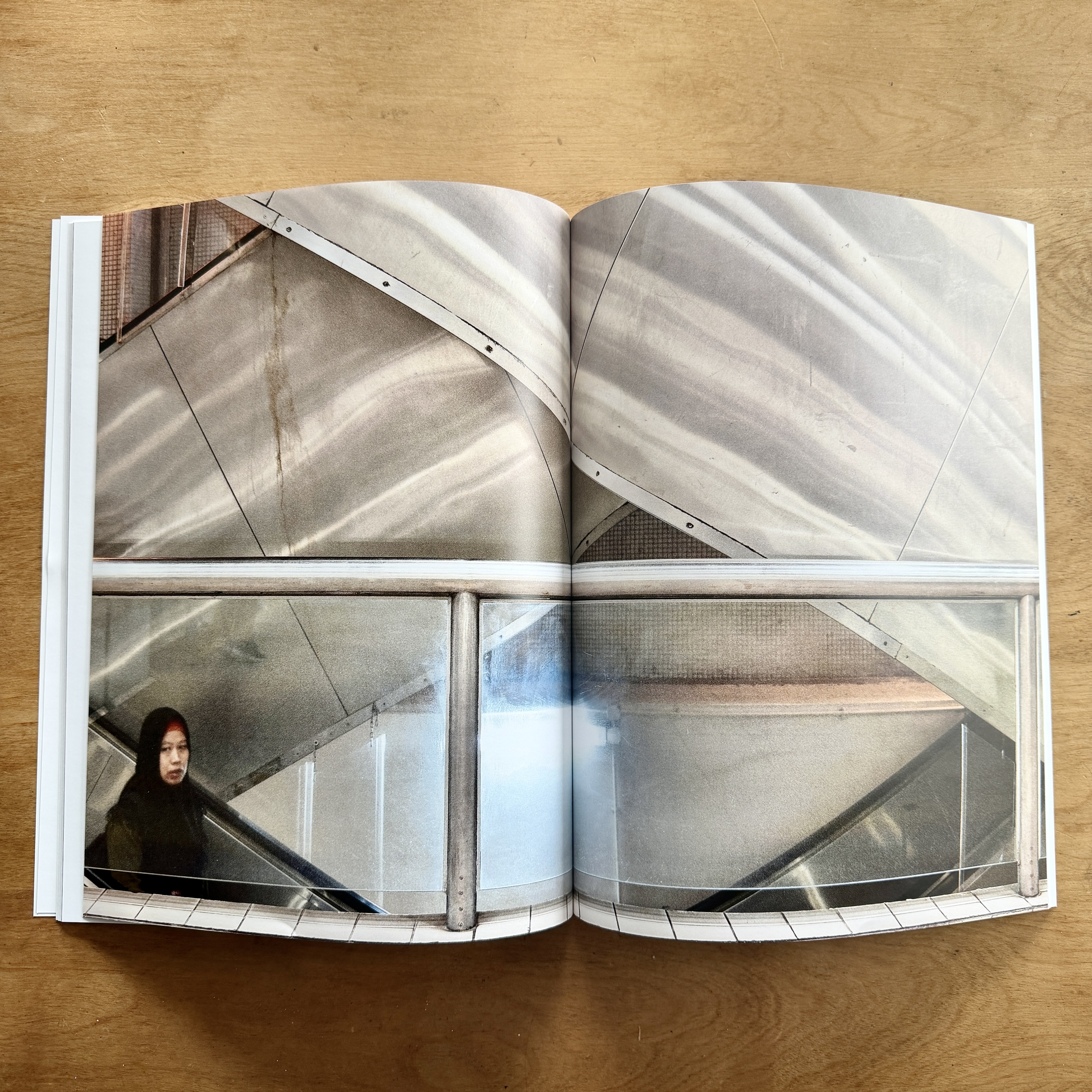
That timer suffers no fools, so I just keep plugging along. Typically, these sessions are early morning while I’m alone. One of the reasons these trips wipe me out is that I need this morning time like I need oxygen. I never sleep in. Doing this for weeks at a time while swapping countries can be exhausting. (Probably while I’m still sick now.) But as soon as something like this lands in my mailbox, it’s like a shot of adrenaline.
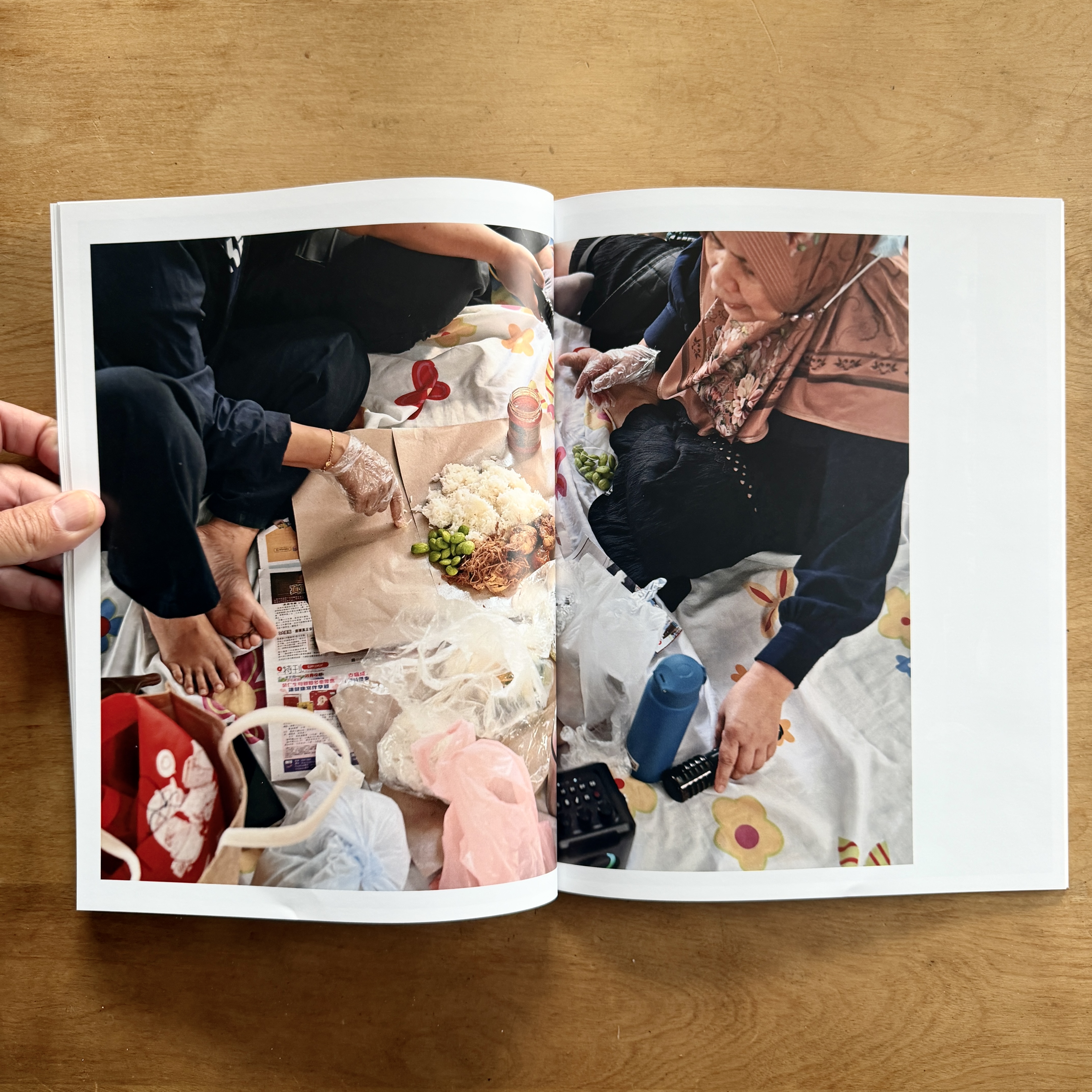
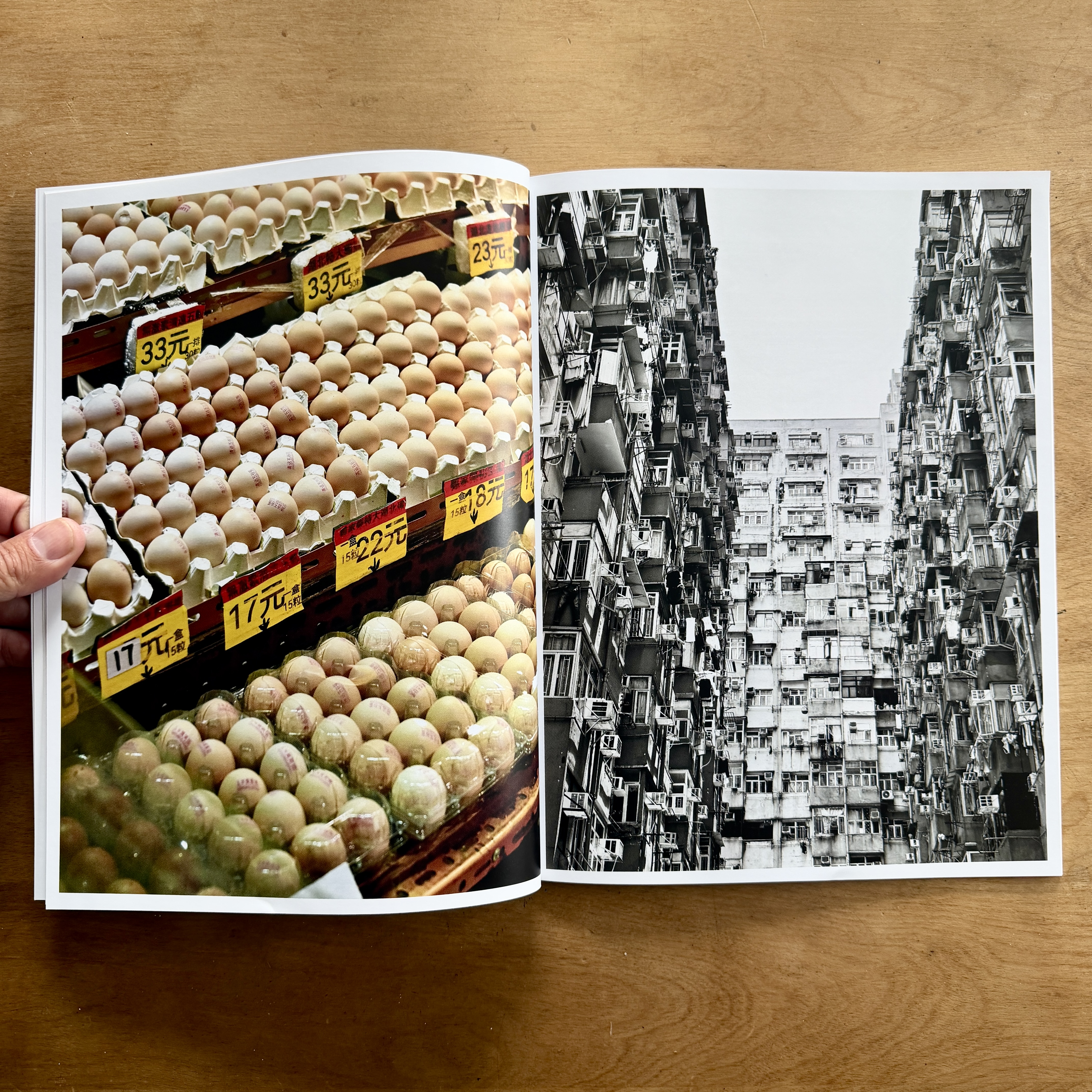
The other thing these publications do is bring back a FLOOD of memories, moments, smells, feelings, and anguish. Yes, anguish, for not being able to do this more, and for not being better at telling stories, designing pages, etc. I’m still a nube. That food looks so good. I want to sit with these ladies and get to know them. I want to learn their language and see where they live. This isn’t enough for me. I’m a long-form being. I need depth, time, space, and freedom.
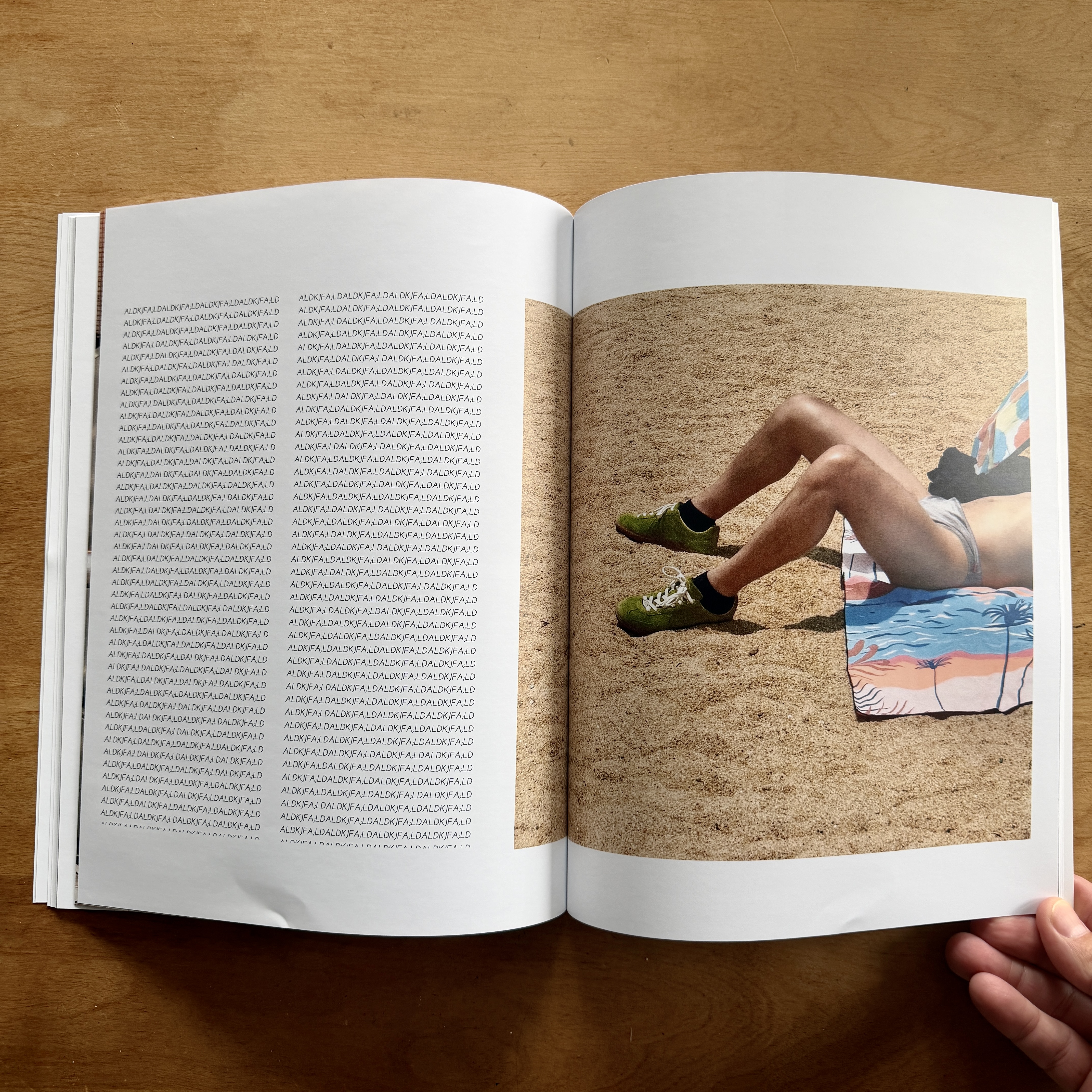
This spread shows my original bleed idea, and I do like this image, but the copy is far from right. I see this guy and think, “Yep, need to know him too.” Were I still in Hong Kong, I’d go back and introduce myself. I need to know the man behind this fashion moment. Were I to make a final publication of some kind, this image would most likely make the cut. Seeing it in print solidified this fact.
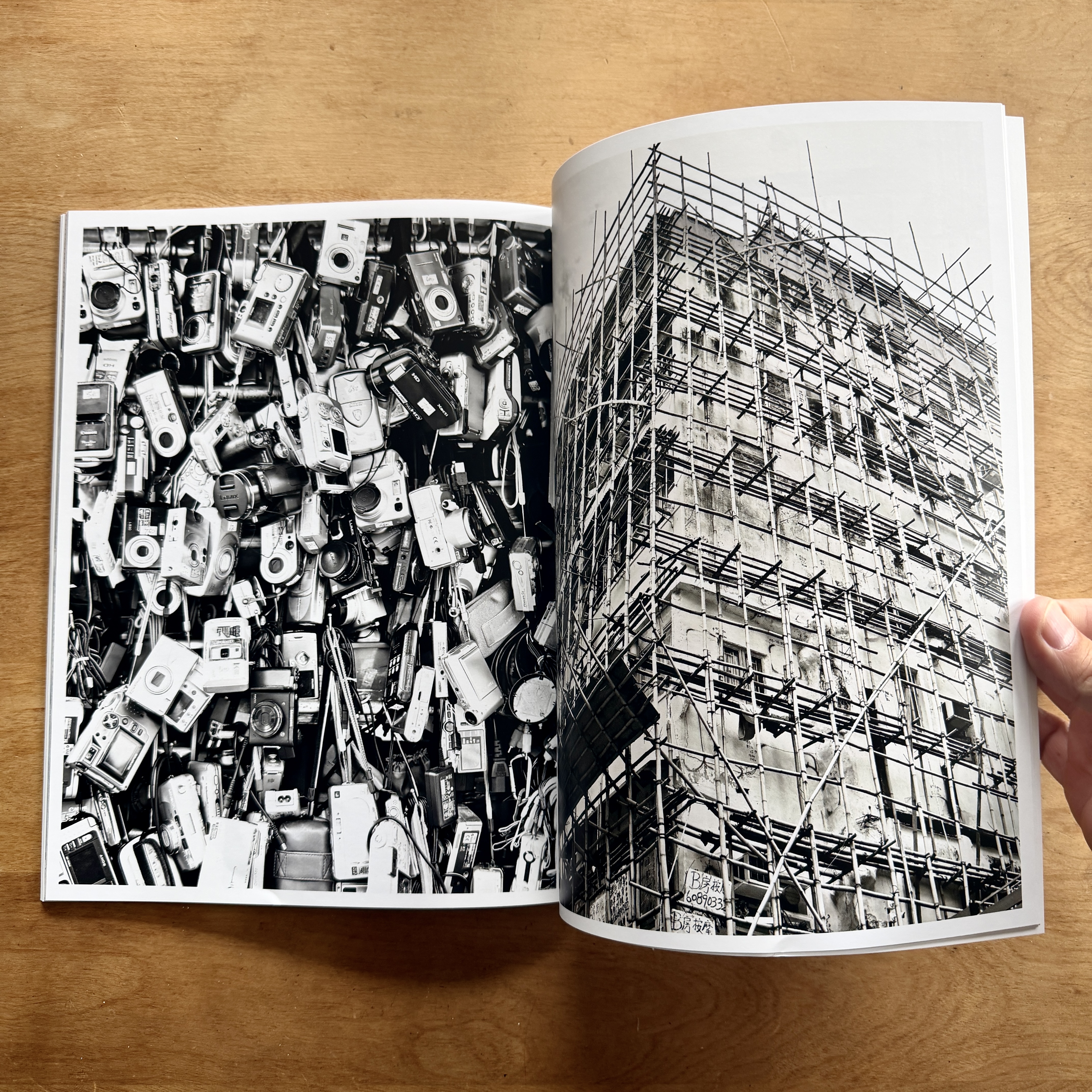
These images need to be flipped, but I don’t like them as much as the egg spread above. Don’t need both. I might use the image on the right offset with copy, or story, because it does identify modern Hong Kong. Much is changing. But that image feels like a left page image to me. Again, the magazine is doing its job. Making me think, rethink, and learn. This publication was less than $20. I always use economy shipping. I know shipping is a real issue for some of you. Believe me, I hear it daily, and I share it with our team. I use economy because I never want to be in a rush, and most often, the publications come sooner than expected.
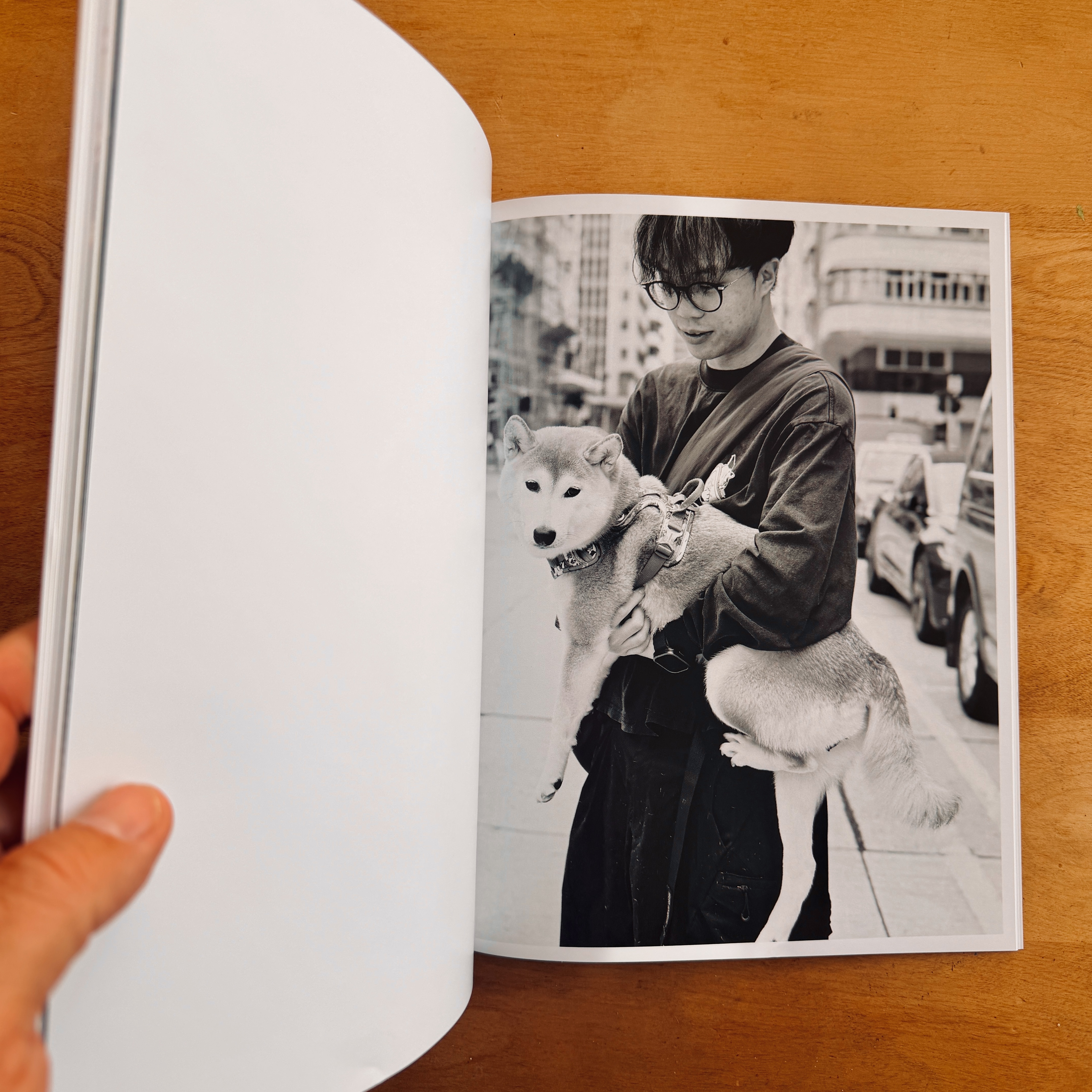
This could be it. This could be the first day of the rest of your print life. For those of you who know, preaching to the choir. For those who don’t, I’ll make these posts. That will never change. I’ve been deeply involved with print throughout my entire photographic career. I can still remember day one of photography school. Learning now to develop a roll of film, and learning how an enlarger works. There was never the idea of one without the other.
Comments 16
I ordered a sample book! (40% discount code from Blurb) 10 x 8 photo book , and it arrived way sooner than expected. It helped me figure a lot of things out, including that I am going back to an 8 x 10 format. The main issue was the double page spreads. I only have 2 of the 16 x 9 format photos that would work best as spreads, and most of them divide better in the middle than in 1/3 and 2/3 parts. I wish they had a 1/4 pt. option for photo outlines, but the photos are a lot of night photos and dark gray Vancouver days, so not really necessary after all. Colour was great, printing and paper fabulous. Found I made a type mistake- wondered why it looked horrible and hard to read in parts, and realized I had been using Garamond, and then accidentally switched to EB Garamond in several parts (which I do not recommend for body type, might be good for large display type). Switching the format from landscape to portrait was simple, just made some new custom layouts, and content was still on the correct pages. “Text Flow” feature (save your word doc as a RTF file and upload) meant I didn’t have to mess with that. I have found it much simpler to use BookWright than Lightroom Classic for arranging my book. I am enjoying the book-making process, and finding it way less frustrating.
Author
Ha, that’s how it works. The books helps you learn. I also prefer BW to LR Classic, at least for books. More tools.
I started printing regularly because of the gospel of Uncle Dan. I’ve been using the Blurb Lightroom integration. I want to experiment with Bookwright more to add text to my zines.
Author
Good for you. And yes, BW will offer you more controls. That’s what I use much of the time.
This is a good reminder, thank you!
I once covered a small motocross event, where some pro/am racers all raced old Honda XR100’s on some guys farm. It was brilliant, but when putting a small book/zine together of the event I quickly realised I need to shoot more coverage of the riders when they are not on the bikes; when they are talking, standing around, having lunch – whatever. I thought I had enough, but upon actually having to lay out the images, I did not. It was a valuable lesson, and luckily a casual event where it didn’t actually matter. But the reminder to shoot with intention to print is a good one.
Author
Yes, my friend. Story, story, story. It’s all that matters.
You explained your way of getting something printed quickly already many times, and I often considered to try whether it could work for me. Now finally an opportunity opened up! Three weeks ago, I attended a workshop with Ostkreuzschule für Fotografie (https://www.ostkreuzschule.de/en). The workshop took place in Werben, a village next to the river Elbe, and it was about photographing the place and the people living there. Since there was a tight schedule of lectures during the day, I got out of bed at daybreak to do my photography before breakfast and did the editing and sequencing at night after everybody went to bed. To my big surprise, after two days I had a PDF that I really liked and that I could present to the others. Back at home I wrote a short introductory essay which took me two hours and then made a hand-bound book using the exact same sequence from the workshop. I printed the spreads on my inkjet using some cheap paper made from recycling fibres. If somebody around here is interested in the result, here’s a video of the book:
fl=ip&fe=ec.
In summary, your way of putting something together quickly – however imperfect – works very well for me. The entire process was an extremely gratifying experience!
Oops, sorry, I didn’t know that the video would be embedded! Dan, please feel free to remove it or change it to link only.
Apologies, Thomas
Author
All good!
Author
Well done! No matter how you did it, you did it!
This was good Dan. I plugged in an older external drive the other day and started going through images in the hope of putting something simple together for family. My “archive” is a complete disaster; double folders, double and triple images, almost any digital filing mistake has been made and then carried forward. One would think this could have been an excellent thing to knock out while I was in my early less-mobile recovery phase, but I have also switched over to mac and am re-learning some of that. Why not compound the problems right?
I just read a great article on fstoppers.com called “How to Organize 10,000 photos without losing your mind”. The basic part of it is a file management plan that I first implemented at work, which is having the folder and filename start with YYYY-MM-DD followed by a brief description. That way, your folders and files sort themselves chronologically. For the folder, after the YYYY-MM-DD, include a few descriptive words, such as Smith Family Portraits. When importing new files, change the name for each photo to YYYY-MM-DD Smith Family Portraits 001, 002, etc., so each photo has a unique name and can be found by the date, and by searching for Smith Family Portraits. The article explains how to do this. I have been using this for naming folders for years, and folders are easy to find, but did not think to name the individual photos this way on import. I have a lot of photos that are labelled IMG_1234, which is useless. My current “system” involves a keyword search in Windows File Explorer, or a quick look at camera roll or albums on Flickr, if I think I uploaded it there. File Explorer shows the folder, which I can find by year and date, and Flickr shows the date taken, so again I can find by year and date. Going forward, I am going to figure out how to upload photos with individual photos getting the YYYY-MM-DD Descriptive Words 001 naming pattern. The article suggests implement the system first on new imports, and then going back and renaming one shoot at a time.
This system worked really well for me at work, where a lot of the same tasks happened each year, and records needed to be saved for a certain number of years. Each year, templates and letters from the previous year were adapted for the current year, and sometimes we needed to go back several years to a previous version. I retired last year, knowing that my replacement would be able to find all the information she needed to produce this year’s templates and letters, etc.
Author
DAM….UGH. It’s the jury duty of photography.
Author
DAM is a nightmare, even for the best. It’s the white elephant in the room of digital photography.
That sounds like a decent way to go about things. Thank you.
Author
It’s a helpful tool.